
Inspect and Decode Captured Traffic: Five Views
Capturing is only the first step; understanding is what matters. Ordinary tools often hand you a pile of compressed bytes or garbled text. Trace Eagle automatically decompresses, detects the format, and beautifies, and it can also preview media inline and break down private protocols, so every piece of data is presented in its most readable form.
1. One piece of data, five ways to view it
Section titled “1. One piece of data, five ways to view it”The request and response sides each switch independently among viewing modes:
- Structured: start line + request-header table + smart body, the default view.
- Text · beautify: automatically indents by content type, with one-tap formatting for JSON, XML, and forms (
x-www-form-urlencoded) for easy reading. - Text · raw: shows the complete message as raw text.
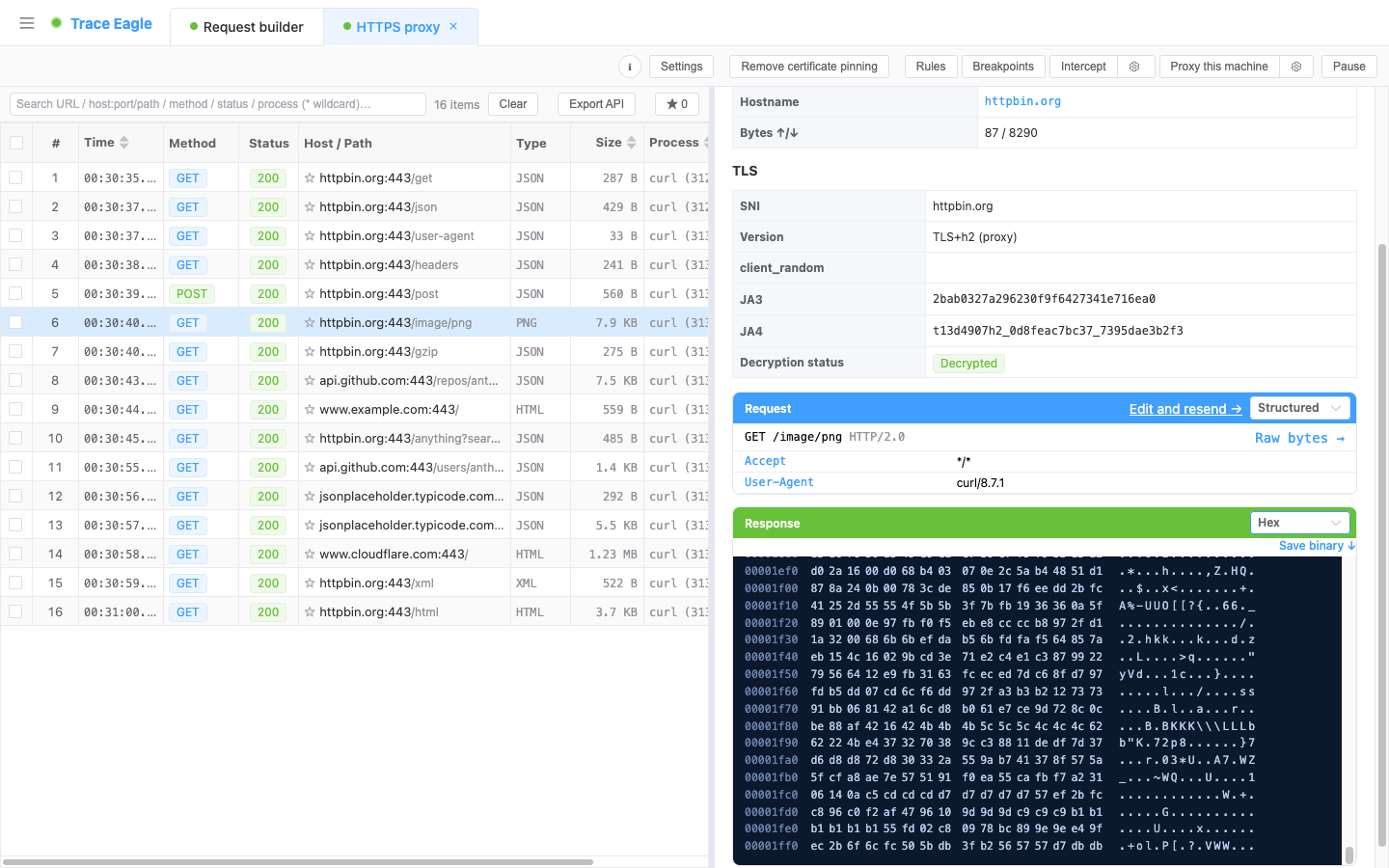
- Hex: a hex viewer where you can click a byte for linked hex↔ASCII highlighting, show offsets, and save to a binary file with one tap; even very large payloads scroll smoothly without lag.
- Auto-detect: hands the data to the engine for deep decoding, rendered as a decode tree you can expand layer by layer; nested compression and nested frames can all be drilled into level by level.
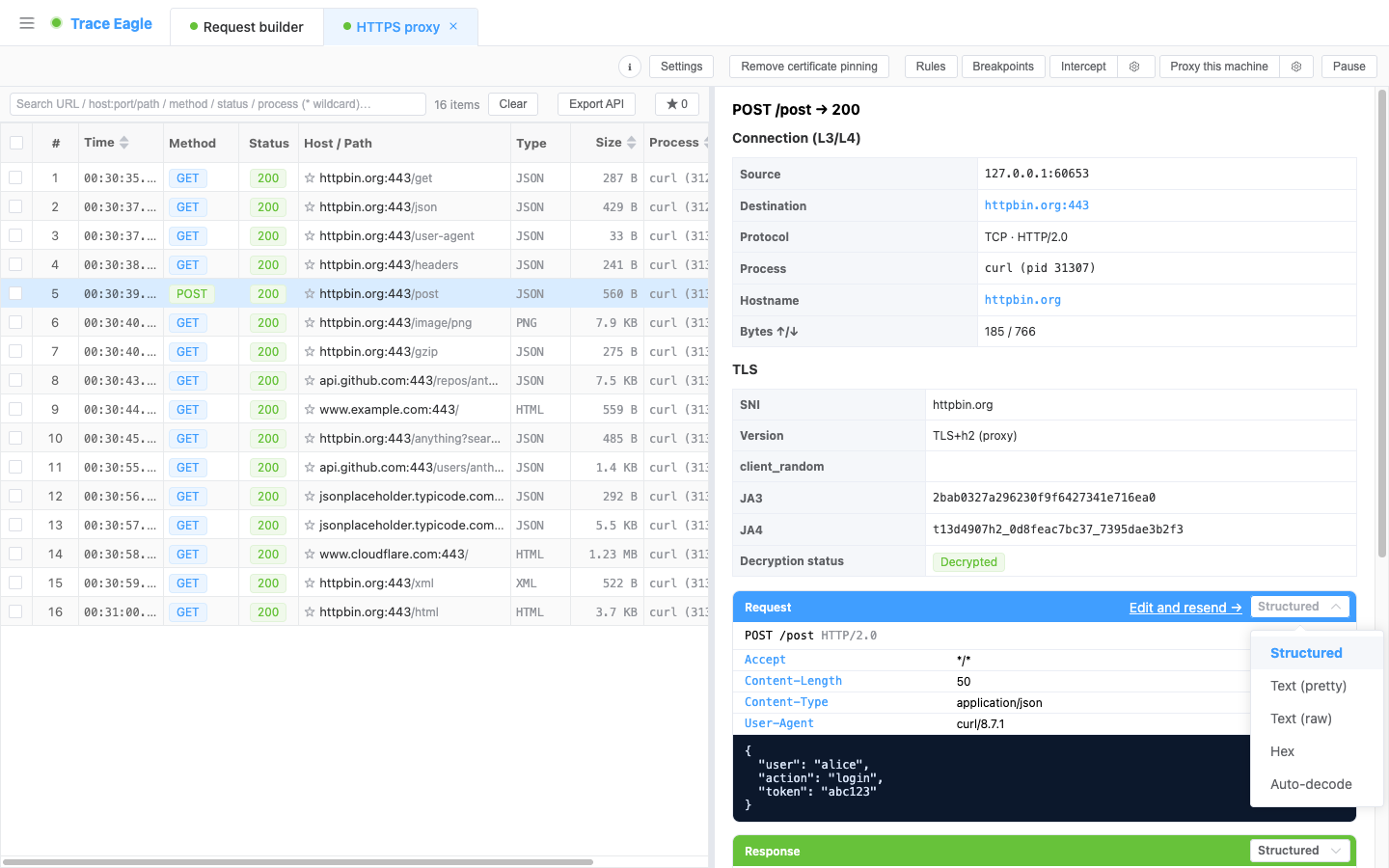
“View as” switches only the presentation layer (structured / text / hex / auto-detect); JSON, XML, and forms are formatting styles for text, handled automatically by “text · beautify” rather than listed separately.
2. What the engine does for you automatically
Section titled “2. What the engine does for you automatically”- Automatic decompression: gzip, brotli (br), deflate, zstd, with support for multi-layer stacked encodings (such as
gzip, brdecoded from outer to inner layer by layer), where ordinary tools often decode only the outermost layer. - Automatic detection and beautifying: JSON, XML, forms, Apple plist (binary / XML / NSKeyedArchiver archive restoration), protobuf / gRPC.
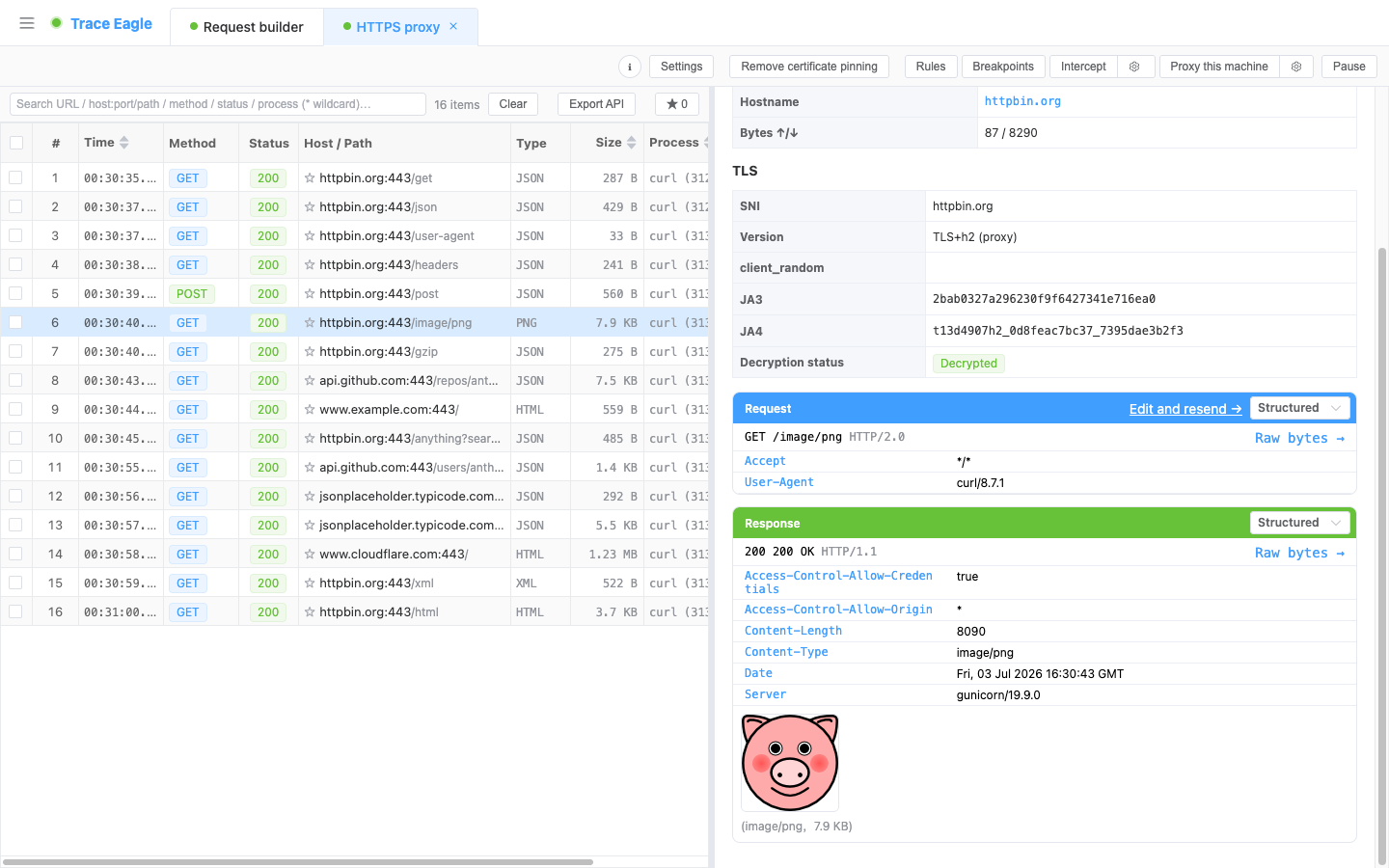
- Binary format detection: a built-in data-detection engine automatically recognizes images, fonts, PDFs, archives, and more, and can list the file manifest inside an archive.
- Inline media preview: images, video, and audio are previewed / played directly in the detail view.
- Smart envelope stripping: recognizes the “custom header plus compressed stream” envelope common in telemetry reporting (which often carries no standard encoding marker), automatically strips the envelope header, and restores the real data, where ordinary tools produce nothing but garbled text.
- Honest failure notices: when it encounters private encrypted data that genuinely cannot be restored, it says so clearly rather than dumping a pile of garbled text on you.
- Unified UTF-8: character encodings are uniformly processed into valid UTF-8.
3. More than just HTTP bodies
Section titled “3. More than just HTTP bodies”| Data type | Viewing mode |
|---|---|
| WebSocket | Shown frame by frame (text / binary / ping / pong), annotated with the send/receive direction |
| Server-Sent Events (SSE) | The event stream shown event by event |
| gRPC / protobuf | Field numbers / types / values decoded without a .proto |
| Raw TCP / UDP | Undecrypted or non-HTTP raw send/receive bytes, switchable between hex / text |
4. Private protocols can be broken down too
Section titled “4. Private protocols can be broken down too”For non-HTTP private / binary protocols:
- Many private frames are broken down automatically with no configuration: the engine tries common fixed-length prefix boundaries and expands frame by frame, so even a raw stream is split into individual messages without writing any script.
- Built-in framing templates: common private frame structures such as length prefix, magic-signature boundaries, delimiters (which may contain hex), and fixed length all have out-of-the-box templates; change a few values and they break down. For more complex structures, fall back to the JS script below.
- JS script decoding: write a small amount of JavaScript to customize the framing and decoding logic, with built-in helper capabilities such as byte fetching, base conversion, and decompression ready out of the box.
- Manual “Decode As”: manually choose a framing method for any connection to view that connection’s complete send/receive record, and each message can be further switched among auto-detect / text / hex. See Custom Protocol Decoding.
Back to Proxy Capture