
System-Level Capture for macOS Apps and Services
Some targets do not even allow reading plaintext from inside. macOS built-in apps, along with especially stubborn, deeply hidden applications, block every kind of outside interference before it starts. System-level capture does not run inside the program; it observes from the system’s lower layers. Even these targets, which ordinary tools cannot get anywhere near, have their plaintext laid bare. This is the last card the local capture methods hold.
This article covers macOS. On Windows, system programs that go through the system network stack (.NET / PowerShell, etc.) have an equivalent capability; see App-Layer Capture on This Machine.
1. It sees what “other tools cannot reach”
Section titled “1. It sees what “other tools cannot reach””Want to see what macOS built-in apps, system services, or those stubborn, deeply hidden applications are saying to their servers? Normally you hit a wall at every turn: proxy capture gets shut out (they refuse the certificate and simply throw an error), reading plaintext from inside the program is blocked by system protections, and what you capture on the NIC is just ciphertext. System-level capture is one of the few ways to read the plaintext of their exchanges.
The local capture methods each go further than the last, and this one stands at the very end:
| Target | NIC / per-process | App-layer capture | System-level capture on this machine |
|---|---|---|---|
| Ordinary programs | ✅ | ✅ | ✅ (overkill) |
| Certificate pinning / custom encryption | 🔒 ciphertext | ✅ plaintext | ✅ plaintext |
| Stubborn / highly hidden applications | 🔒 / ❌ | ❌ refuses interference | ✅ plaintext |
| Built-in apps / system services | 🔒 / ❌ | ❌ refuses interference | ✅ plaintext |
When none of the earlier methods can handle the target, hand it to this one.
2. What lets it reach system apps
Section titled “2. What lets it reach system apps”- Does not run inside the program: Built-in apps and stubborn applications block every kind of interference that runs inside the program, so app-layer capture does not work on them. System-level capture takes a different angle: no injection, no changes to the program, no certificates. It reads out-of-band at the system’s lower layers, so this protection cannot stop it.
- Does not touch certificates: It does not act as a man-in-the-middle and does not touch certificates, so certificate pinning simply does not apply. No matter how strict these applications’ certificate checks are, they cannot affect it.
- Reaches the layer others cannot: macOS built-in apps, the App Store, and various system services go through the system’s lower-level network channels, which happen to be the shared blind spot of all the earlier capture methods. System-level capture covers exactly this layer, bringing all their plaintext into full view.
3. Which targets it can handle
Section titled “3. Which targets it can handle”- Built-in apps and system services: the network exchanges of macOS’s own programs, such as the App Store, system components, and background services.
- Stubborn, deeply hidden applications: third-party programs that bury their traffic deep and refuse every kind of outside interference.
- Ordinary programs: it can of course handle these too, but that is overkill; for regular programs the earlier methods are simpler.
4. How to use it
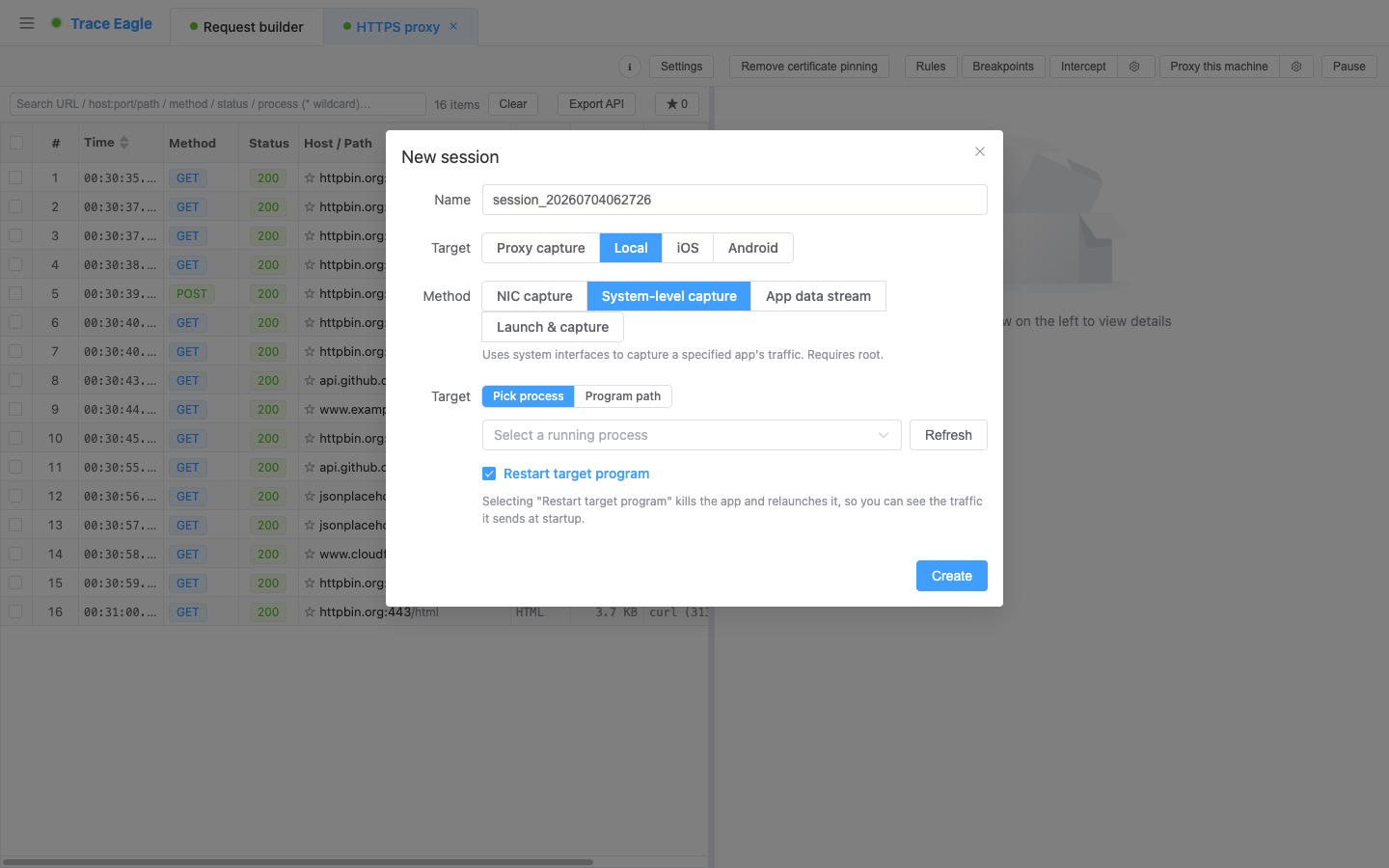
Section titled “4. How to use it”- Pick the target: choose a running program from the dropdown, or fill in a program path / name.
- Optionally capture “the moment of launch”: let the tool close the program first and then relaunch it, so early-startup traffic is captured too (a lot of authentication / handshakes happen in that instant).
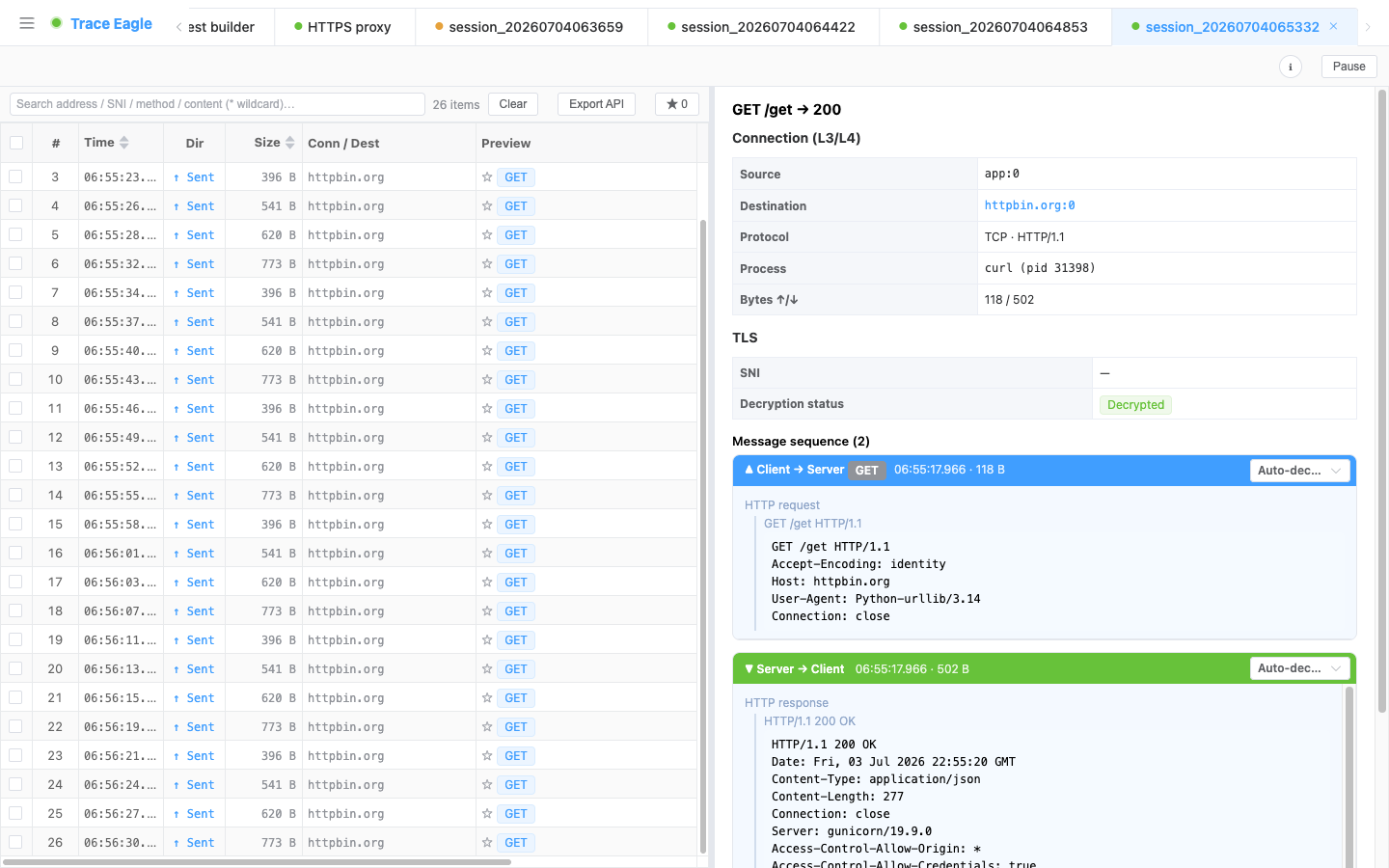
- Start capturing and view the plaintext the program sends and receives.
5. After the capture: readable and decodable
Section titled “5. After the capture: readable and decodable”The plaintext read from the lower layers goes through the same processing as every other capture method:
- Multiple viewing modes: structured, text beautify, hex, and auto-detect, switchable independently for the send and receive sides. See Data Viewing and Decoding.
- Automatic decompression and detection: automatically decompresses gzip / brotli / deflate / zstd (including multiple stacked layers), and automatically detects and beautifies JSON, XML, protobuf / gRPC, and more.
6. How to choose among the four local capture methods
Section titled “6. How to choose among the four local capture methods”| Your situation | Which to use |
|---|---|
| macOS built-in apps, stubborn applications (unreachable by other methods) | System-level capture on this machine (this article) |
| Program already running / certificate pinning / does not accept proxies / custom encryption | App-Layer Capture on This Machine |
| Regular programs you can start via command (browsers / scripts / CLI) | Per-Process Capture on This Machine |
| Want to see all traffic on the machine, or non-HTTP traffic | NIC Capture on This Machine |
Related: Proxy Capture · App-Layer Capture on This Machine · Data Viewing and Decoding