
Port Scan and Subdomain Discovery
Got a host or a domain and want to know what it exposes? Two paths, each with its own use: port scanning actively probes which ports a host has open and what services run on them; subdomain discovery reads only public data, without interacting with the target, to dig out the subdomains under a domain.
1. Port scanning: which ports a host has open, and what services they run
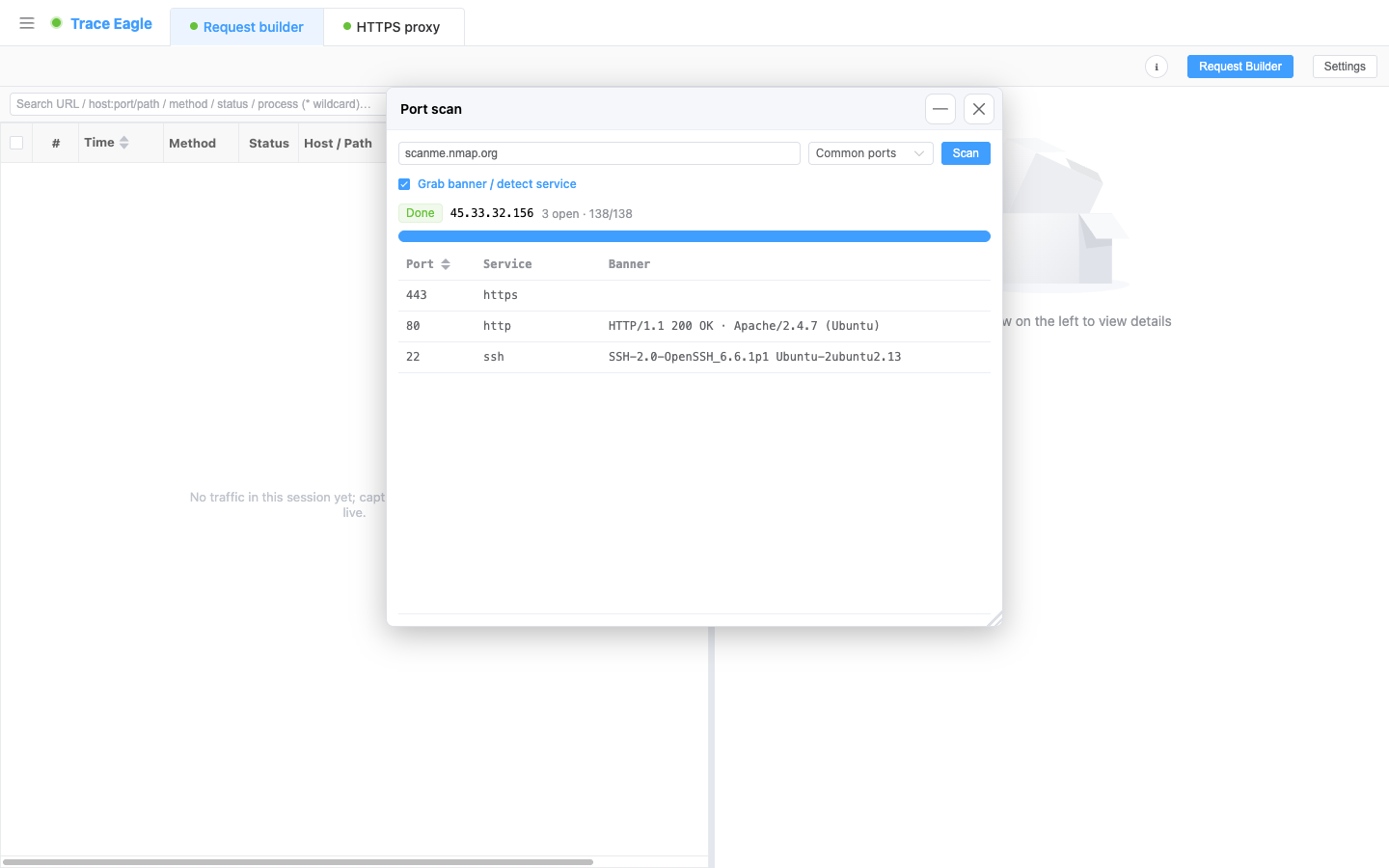
Section titled “1. Port scanning: which ports a host has open, and what services they run”Enter a hostname or IP to quickly scan the TCP ports it has open, with progress shown in real time alongside “N open found.” Each open port gives three columns:
- Port number.
- Service name: first guessed by port, then refined using the captured banner, so even SSH, redis, mysql, and the like running on non-standard ports are recognized.
- Banner: the captured service welcome message; for HTTP ports it gives the status line and the
Serverheader.
The scan range is one of three: common ports (the default, a curated set of high-frequency ports), all ports (1-65535), or custom (such as 80,443,8000-8100). Banner grabbing can be toggled off; when off, it still names the service by port, it just no longer grabs the welcome message or refines by it. The open-port list can be sorted by port number. Works out of the box, with no extra driver or privilege needed.
Recognizes non-standard ports too: when SSH, redis, mysql, and the like run on unusual ports, an ordinary scan that only guesses the service by port number gets it wrong; here the captured banner refines the guess, so the true service is recognized whatever port it runs on.
2. Subdomain discovery: passively figure out a domain’s subdomains
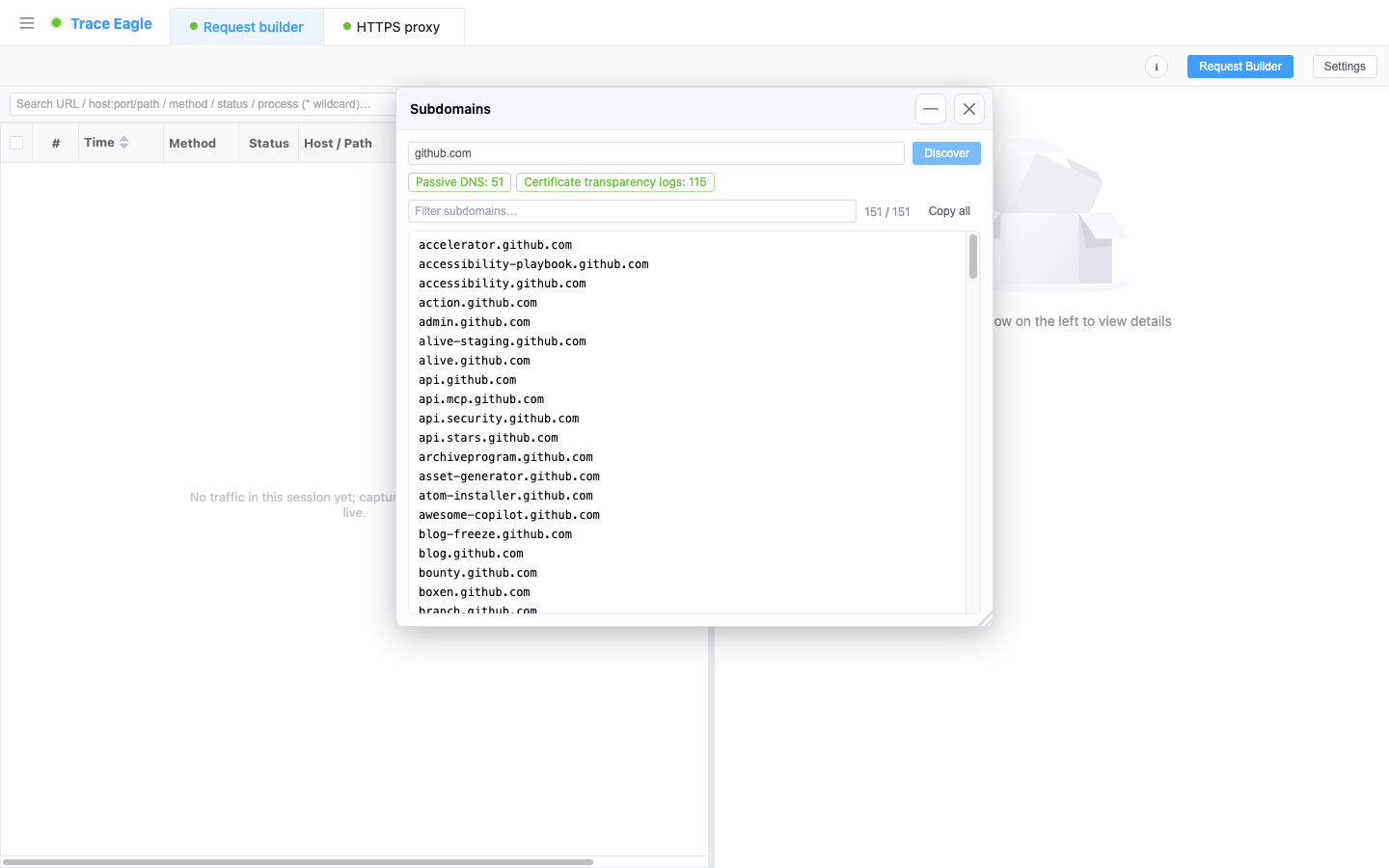
Section titled “2. Subdomain discovery: passively figure out a domain’s subdomains”Enter a domain, and it aggregates multiple public intelligence sources, queries them in parallel, and lists the subdomains under it. Sources fall into two categories (each with a hit count): certificate transparency logs and passive DNS. Results are automatically deduplicated and sorted, with real-time filtering and one-click copy all. If a source is temporarily unavailable or rate-limited, it won’t drag down the rest; the other sources return results as usual, each labeled with its hit count.
Reads only public data, never touches the target: throughout, it queries only public datasets and sends no request to the target domain or its servers. This is the fundamental difference from active scanning.
3. Active vs passive, how to combine them
Section titled “3. Active vs passive, how to combine them”| Port scanning | Subdomain discovery | |
|---|---|---|
| Target | A host / IP | A domain |
| Method | Actively probe the target’s ports | Passively query public intelligence |
| Interacts with the target | Yes (connects to its ports directly) | No (reads only public data) |
| What you get | Open ports + services + banners | A list of exposed subdomains |
First use subdomain discovery to spread out a domain’s asset surface from public data alone, then run port scanning on selected hosts to verify which services are open: spread the surface passively, verify the points actively, and after one round the outward exposure surface is clear.
4. When to use it
Section titled “4. When to use it”- Figuring out a device’s or server’s outward service surface: which ports are open, roughly what runs on them, and what the banners say.
- With just a domain in hand, wanting to inventory its exposed subdomains from public data alone.
- Doing asset inventory and mapping the outward exposure surface: dig subdomains passively and verify ports actively, the two working together.
Back to Proxy capture · Related: Host details