
How to Bypass SSL Pinning to Capture HTTPS
To bypass SSL pinning in Trace Eagle, use “Clear Certificate Pinning”: inside a proxy capture session, select the target app and pause its certificate checks so it trusts the proxy certificate, reconnects, and can be decrypted. It works on three target types: desktop programs, iOS apps and Android apps. iOS apps must be re-signed with a development certificate, and Android devices must be rooted. Clearing pinning only decides whether the app trusts the proxy; the proxy still does the decrypting.
Why does a pinned app go offline as soon as a proxy is on?
Section titled “Why does a pinned app go offline as soon as a proxy is on?”An app with SSL pinning trusts only its own built-in certificate or public key and rejects the certificate the proxy presents, so it cannot connect during proxy capture. For background on the mechanism, see OWASP: Certificate and Public Key Pinning; on Android it is commonly configured through Network Security Config.
Select that app and pause its certificate pinning, and it can access the network normally, so its HTTPS can be routed through the proxy and decrypted.
Important: clearing pinning is not the same as reading plaintext. It only makes the app “willing to trust the proxy certificate”; it does not decrypt content itself, decryption is still done by the proxy. If what you want is to “read plaintext directly from inside the program”, that is a different matter, see App-Layer Capture on This Machine.
Which targets can you clear pinning on?
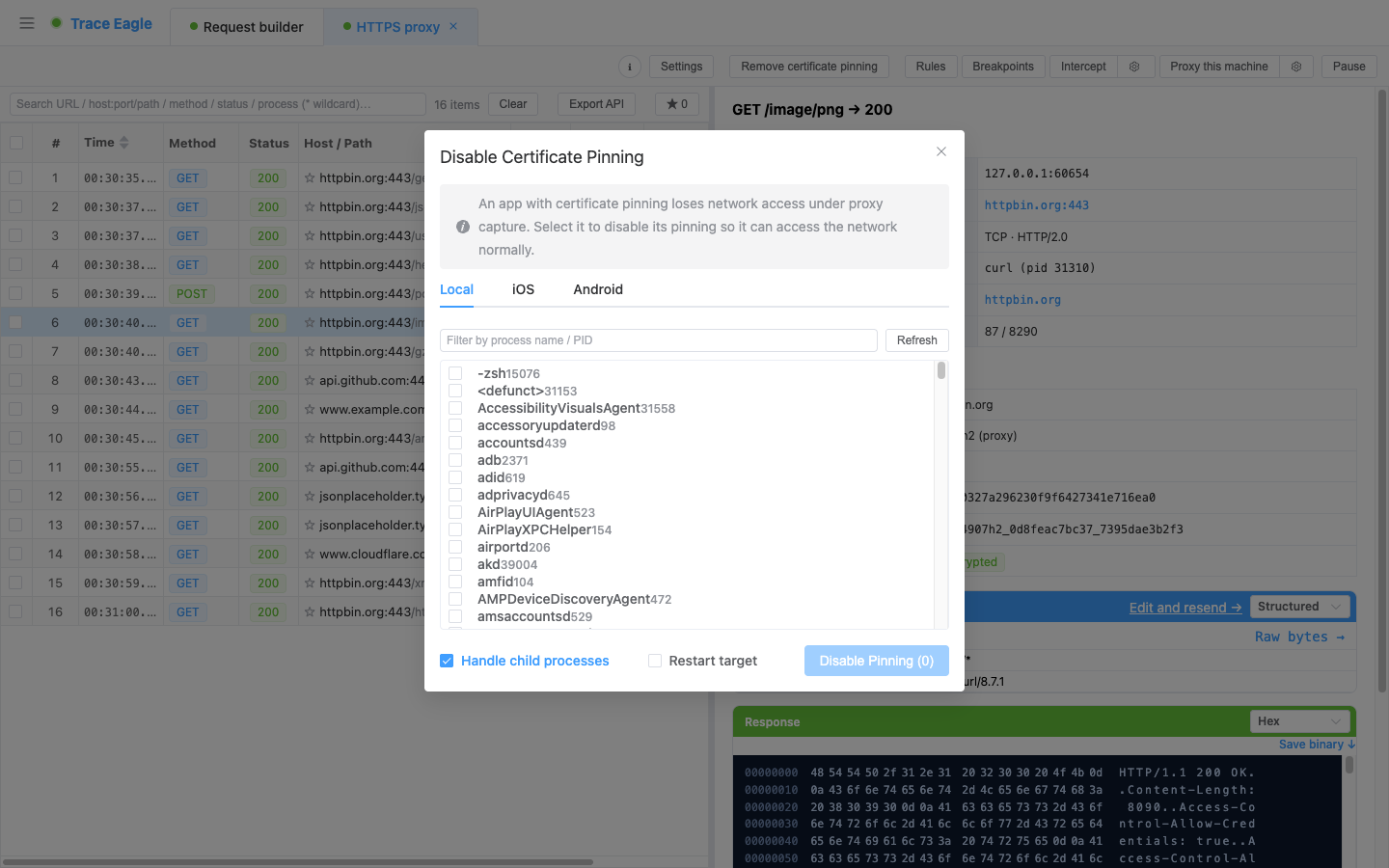
Section titled “Which targets can you clear pinning on?”Three target types, each operated on its own tab:
- Machine programs: list local processes, with multi-select and filtering by name or PID.
- iOS apps: select a device, then list apps (apps that need re-signing with a development certificate), or enter a bundle id manually. For the full phone workflow, see how to capture iOS traffic.
- Android apps: select a device (must be rooted), then list apps, or enter a package name / process name / PID manually. Device setup is covered in Android capture.
Two switches
Section titled “Two switches”- Automatically handle child processes (machine): some applications send and receive network requests from child processes, so handling them together avoids missed captures.
- Restart target: restart the app first, then process it, to cover requests early in its startup.
Which apps can it handle, and which can’t it?
Section titled “Which apps can it handle, and which can’t it?”- Covered: the certificate pinning methods of the vast majority of mainstream apps, including common native cryptographic components of various kinds, and pinning frameworks common on Android.
- Real-time feedback on results: on success it tells you how many targets / processes were handled; if an app uses an uncommon network component that is not yet supported, it says so clearly rather than leaving you waiting.
- A few cases don’t apply: programs written in Go or Rust, or desktop Java programs, usually are not suited to clearing pinning. If they read the system certificate, just install the certificate into the system / their trust store, with no need to clear pinning.
When to clear pinning
Section titled “When to clear pinning”- When a captured app uses certificate pinning and loses network access the moment a proxy is on, select it and clear pinning within the proxy session.
- To capture requests early in an app’s startup: check “Restart target”.
- Multi-process desktop applications: keep “Automatically handle child processes” on.
Do I still need the capture certificate after clearing pinning?
Section titled “Do I still need the capture certificate after clearing pinning?”Yes. Clearing pinning only makes the app accept the proxy certificate; proxy decryption still relies on a capture certificate the target trusts. See how to install the capture certificate.
What do phone apps need before pinning can be cleared?
Section titled “What do phone apps need before pinning can be cleared?”Android requires a rooted device; iOS requires the target app to be re-signed with a development certificate. Once that’s met, pick the device to list its apps, or type the package name or bundle id.
Why are requests from the app’s launch still missing?
Section titled “Why are requests from the app’s launch still missing?”Processing happens after the app is already running, so its earliest requests may already be gone. Check “Restart target” so the app is restarted first and those requests are covered.
What happens if clearing pinning fails?
Section titled “What happens if clearing pinning fails?”If the app uses an uncommon network component that isn’t supported yet, Trace Eagle tells you so explicitly instead of leaving you waiting.
Back to Proxy Capture · Related: Certificate Management and Installation · App-Layer Capture on This Machine